Text & layout
Utilities for measuring and shaping text that respect ANSI escape codes and double-wide characters — so your layouts line up no matter what's in the string.
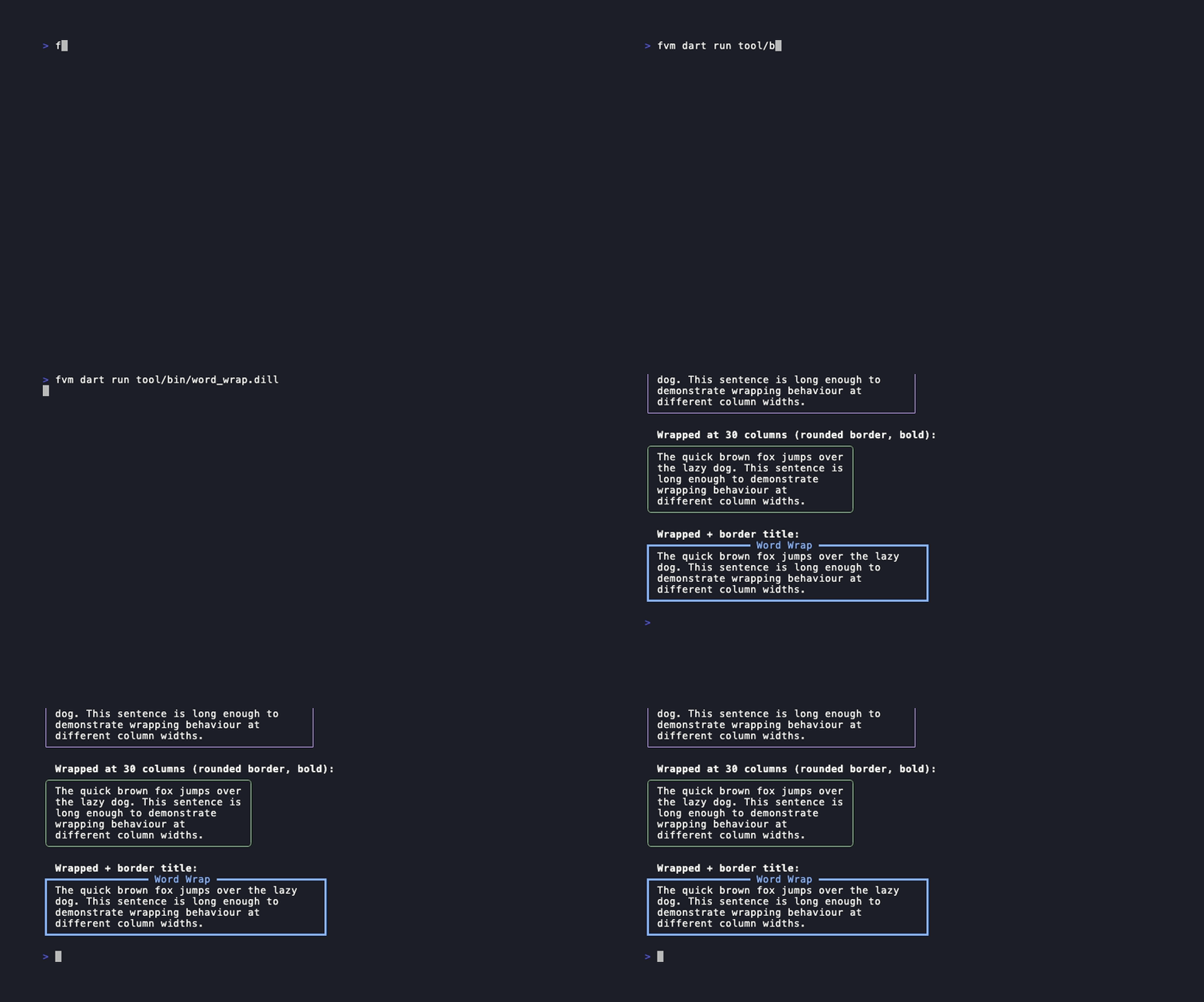
Word wrap
dart
const Style(
  wordWrap: true,
  width: 40,
  border: Border.rounded,
  borderTitle: ' Notes ',
).render(longText);
Measuring & truncating
These helpers count visible terminal columns, stripping ANSI codes and accounting for wide glyphs:
dart
getWidth('hello')              // → 5  (visible columns)
getWidth('\x1b[31mhi\x1b[0m')   // → 2  (ANSI stripped)
getHeight('line1\nline2')       // → 2

truncate('hello world', 5)      // → 'hello'   (drop right)
truncateLeft('hello world', 5)  // → 'world'   (drop left)
Tab width & margin background
dart
const Style(tabWidth: 4)                              // expand \t to 4 spaces
const Style(marginBackground: RgbColor(30, 30, 46))  // tint the margin area